2008/07/25


これはいいね。
Google App Engine Blog: Some small updates!
We're happy to announce we've released some small updates to Google App Engine. Among the more significant changes:
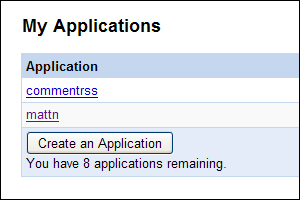
  • More apps: Want to create more than 3 applications with your App Engine account? Now you can now create up to 10!
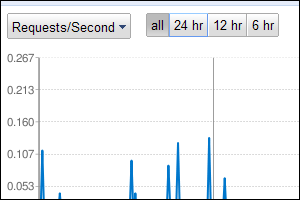
  • Time windows for Dashboard graphs: Zoom in on the data in your dashboard to get a more accurate picture of whats going on. You can zoom in to see graphs for the last 24, 12, and 6 hour periods.
  • Logs export: You can now use appcfg.py to download your application's logs in plaintext format. Use appcfg.py --help for more information on how to download your logs.
  • Send email as logged in user: If you're using the users API, you can now send email from the email address of the currently-logged-in user.
最新版のダウンロードはこちらから。
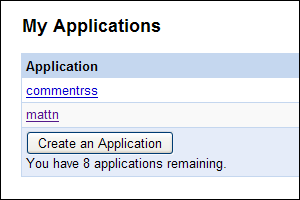
作れるアプリ数が10個に増え
あと8個
ダッシュボードのデータ時系列が拡大できる様になって
6時間単位で拡大可能
appcfg.pyでログがエクスポート出来る様になって # appcfg.py request_logs <directory> <output_file> 現在ログイン中のユーザのメールアドレスが得られる様になったらしい。

やるね。Google App Engine。
Posted at by


2008/07/08


http://subtech.g.hatena.ne.jp/cho45/20080708/1215450151
http://subtech.g.hatena.ne.jp/miyagawa/20080708/1215473551 #!/usr/bin/env python
# -*- coding: utf-8 -*-

class X:
  def __init__(self):
    self.s = "ひだまり"

  def __lt__(self, v):
    print "%s %s" % (self.s, v)
    return self
 
  def __div__(self, v):
    if isinstance(v, int):
      self.s += "スケッチ"
    else:
      self.s += "365"
    return self

X = X()
_ = 1

X / _ / X < "来週も見てくださいね!"
ごめんなさい。それが何かしらない...orz
Posted at by


2008/06/11


これだけメソッドがあれば大概の事は出来る。
The Console Module

The Console module provides a simple console interface, which provides cursor-addressable text output, plus support for keyboard and mouse input.

The Console module is currently only available for Windows 95, 98, NT, and 2000. It probably works under Windows XP, but it hasn’t been tested on that platform.

試しに作ってみた。以下ソース

Oppai.py
#!/usr/bin/python
# -*- coding: utf-8 -*-
import sys, time, codecs
import Console

class Oppai:
  def __init__(self):
    self.nest = 1

  def __getattr__(self, name):
    if name == 'Oppai':
      self.nest += 1
      return self
    else:
      return self.__dict__[name]

  def __call__(self):
    aa = [u"""
    _  ∩
  ( ゜∀゜)彡 おっぱい!おっぱい!
  (  ⊂彡
   |   | 
   し ⌒J
""", u"""
    _  ∩
  ( ゜∀゜)彡 おっぱい!
  (    | 
   |   | 
   し ⌒J
""", u"""
    _  
  ( ゜∀゜)  おっぱい!
  (  ⊂彡
   |   | 
   し ⌒J
"""]

    c = Console.getconsole()
    c.title("Oppai")
    for n in range(self.nest * 4):
      c.page()
      oppai = aa[n % 4 in (0, 2) and (n % 4)/2+1 or 0]
      l = 0
      for line in oppai.split("\n"):
        c.text(0, l, line.encode("mbcs"))
        l += 1
      time.sleep((n % 4) in (0, 2) and 0.5 or 0.15)
Oppai = Oppai()

if __name__ == '__main__':
  Oppai.Oppai.Oppai.Oppai()
使い方は
import Oppai

Oppai.Oppai.Oppai.Oppai()
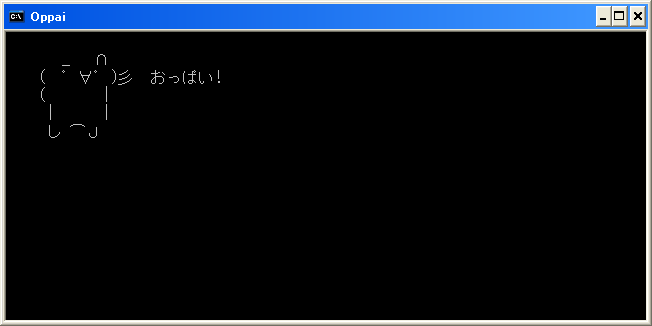
こんな感じ。動かすと属性参照した分だけ、おっぱいアニメーションが流れます。
おっぱいそん
簡単ですね!
Posted at by